



Description
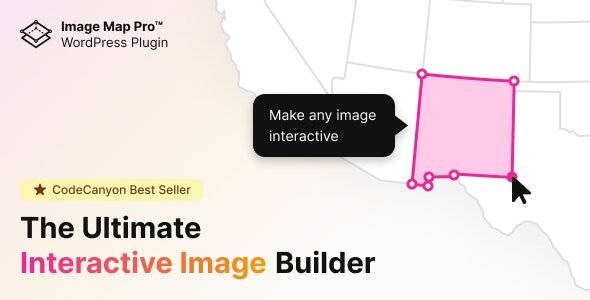
Image Map Pro for WordPress is a powerful interactive image mapping plugin designed to help website owners transform ordinary images into engaging, clickable visual experiences. It allows you to create interactive image maps, add custom hotspots, highlight specific areas, and provide additional information through visual elements such as tooltips and popups.
Whether you run a business website, online store, educational platform, real estate website, or creative portfolio, Image Map Pro helps you present information in a more visual and interactive format without requiring advanced coding skills.
Instead of displaying static images, you can use interactive image mapping to help visitors explore products, understand diagrams, view building layouts, and discover important information directly from an image.
Key Features of Image Map Pro for WordPress
1. Interactive Image Map Creation
Transform ordinary images into interactive image maps with clickable areas. Add visual elements that allow visitors to explore different parts of an image and access relevant information.
2. Customizable Hotspots
Add interactive hotspots to highlight important areas within an image. Use these clickable points to draw attention to products, locations, objects, or specific features that visitors may want to explore.
3. Interactive Tooltips and Popups
Provide additional information through supported tooltips and popup elements. These features help you display descriptions, labels, and other useful details without overcrowding the main page.
4. Custom Shapes and Highlighted Areas
Create interactive regions using supported shapes to identify specific sections of an image. This functionality can be useful for diagrams, floor plans, product illustrations, and other detailed visual content.
5. Flexible Image Mapping
Use interactive image maps for a variety of purposes, including product illustrations, building layouts, technical diagrams, educational graphics, and visual guides.
6. Customizable Visual Design
Adjust supported visual settings to match your website’s appearance and branding. Customization options can help you create interactive images that fit naturally into your existing WordPress design.
7. Interactive Floor Plans and Layouts
Present floor plans, office layouts, building diagrams, or property illustrations with clickable areas. Visitors can explore selected sections and access relevant information through interactive elements.
8. Enhanced Website Engagement
Make website content more engaging by encouraging visitors to interact with visual elements. Interactive maps can provide a more intuitive way to explore detailed information compared with static images alone.
Specific features and customization options may vary depending on the installed plugin version.
Benefits of Using Image Map Pro for WordPress
- Converts static images into interactive visual content.
- Helps highlight important information with clickable hotspots.
- Supports interactive image maps and custom visual regions.
- Provides additional information through supported tooltips and popups.
- Makes diagrams and floor plans easier to explore.
- Supports creative website designs and visual presentations.
- Helps present complex information in an accessible format.
- Can improve the usability of image-based website content.
- Offers flexible applications for business, education, and eCommerce websites.
Who Should Use Image Map Pro?
Business Owners: Present products, services, facilities, and business information through interactive images.
WooCommerce Store Owners: Highlight product features, explain product components, and create interactive product illustrations.
Real Estate Professionals: Make property layouts and floor plans more informative with clickable sections.
Web Designers and Developers: Build visually engaging websites with interactive image mapping functionality.
Educators: Create interactive diagrams and visual learning materials for students.
Architects and Interior Designers: Present building layouts, room plans, and design concepts through interactive visuals.
Marketing Professionals: Develop interactive visual presentations that encourage visitors to explore website content.
Why Use Interactive Image Mapping on Your Website?
Images are an important part of modern website design, but static images cannot always communicate detailed information effectively. Visitors may need additional explanations about individual objects, locations, product components, or areas within a visual.
Image Map Pro helps address this challenge by allowing you to add interactive elements directly to an image. Visitors can click or explore designated areas to discover more information without navigating away from the main visual.
For example, an online furniture store could use an interactive room image to highlight individual furniture pieces. A real estate website could display a floor plan with clickable rooms, while an educational website could create an interactive diagram to explain different components.
These visual experiences can make website information easier to explore and understand.
Image Map Pro for WooCommerce Stores
WooCommerce store owners can use interactive image mapping to present products in creative and informative ways. Rather than relying entirely on standard product images, you can explore interactive visual layouts that highlight individual product features.
Potential applications include:
- Interactive Product Images: Highlight selected parts of a product and provide additional descriptions.
- Product Component Guides: Explain different components of complex products through clickable hotspots.
- Room and Furniture Displays: Identify furniture and decorative items within a room illustration.
- Technical Product Diagrams: Help customers explore specific components of equipment or machinery.
- Visual Shopping Guides: Present related information through interactive images and clearly labeled areas.
Interactive image mapping can complement your existing WooCommerce product pages by providing another way for customers to understand the products you sell.
Improve Website Content with Interactive Visuals
Image Map Pro can help make image-based content more useful by connecting visual elements with relevant information. This is particularly valuable when a single image contains several objects or sections that deserve individual explanations.
You can incorporate interactive images into product pages, service pages, educational resources, portfolios, and informational guides. When used thoughtfully, these elements can help visitors navigate complex information more intuitively.
For the best results, use clear source images, meaningful hotspot labels, concise descriptions, and mobile-friendly layouts. Ensure that important information remains accessible to visitors who may not interact with every hotspot.
Why Choose Image Map Pro from WPKit?
At WPKit, our goal is to help WordPress users discover useful themes and plugins for building, managing, and improving their websites.
Image Map Pro for WordPress is a practical option for users who want to create interactive image maps, highlight important visual details, and provide a more engaging browsing experience.
Whether you are designing a business website, presenting products in a WooCommerce store, or building interactive diagrams, this plugin offers a visual approach to communicating information.
Explore Image Map Pro for WordPress at WPKit to discover whether its interactive image mapping features suit your website requirements.
Frequently Asked Questions
What is Image Map Pro for WordPress?
Image Map Pro is a WordPress plugin designed to help users create interactive image maps with clickable hotspots and other visual elements.
Can I create clickable hotspots on images?
Yes. Interactive hotspots are a core use case, allowing you to highlight specific areas and connect them with additional information.
Can Image Map Pro be used for floor plans?
Yes. It can be used to create interactive floor plans and layouts where visitors can explore designated areas of an image.
Is Image Map Pro useful for WooCommerce?
It can complement WooCommerce websites by helping store owners create interactive product illustrations, feature guides, and visual product presentations.
Do I need coding skills to use Image Map Pro?
The plugin is designed to provide visual image mapping tools, allowing users to create interactive content without building every element manually through code. Some advanced customizations may still require technical knowledge.
Can interactive image maps improve SEO?
Interactive images can improve how information is presented and may support a better user experience. However, the plugin does not guarantee higher search rankings. Use descriptive page content, suitable image alt text, accessible labels, and good website performance as part of your overall SEO strategy.
Final Verdict
Image Map Pro for WordPress is a useful interactive image mapping solution for creating clickable hotspots, visual diagrams, interactive floor plans, and engaging image-based experiences. It helps transform static visuals into informative website elements that visitors can explore.
If you want to make your website content more interactive and present visual information in a creative way, Image Map Pro can be a valuable addition to your WordPress toolkit.
Explore Image Map Pro for WordPress at WPKit and transform ordinary images into engaging interactive experiences.




Reviews
There are no reviews yet.